 VMTechs Boot Repair ToolkitVMTechs Boot Repair Toolkit
The portable repair toolkit that works even when Windows can't boot. Boot loops, blue screens, service failures, crash dumps — diagnosed and repaired in minutes, with all your files, programs and settings exactly where you left them.
Free edition included forever · Windows 10 & 11 (64-bit) · No signup required
✅ Thanks — check your inbox for the repair guide.
That address could not be saved right now — your download is unaffected. Please try again in a moment.
 Trusted by technicians and everyday users — from the makers at @ValiumMediaTech · vmtechs.com
You press the power button. And instead of your desktop, you get one of these:
The logo appears, the PC restarts, the logo appears again… forever. Your work, photos and projects are trapped inside.
Windows' own repair gives up and offers nothing but "Advanced options" and a shrug.
INACCESSIBLE_BOOT_DEVICE. 0xc0000034. CRITICAL_PROCESS_DIED. What are you supposed to do with that?
A misbehaving third-party service is crashing Windows at startup. Which one? And how do you fix it without reinstalling?
Here's the truth: most startup failures are small problems in the boot process — and they can be repaired in minutes with the right tool, with zero data loss. Reinstalling Windows for a boot problem is like demolishing a house to fix a jammed front door — your photos, documents, programs and settings can all stay exactly where they are.
Pick the error you see on your screen, or let the toolkit scan your crash dump and match it against 61 stop codes — it identifies the root cause and runs the right repair sequence for you. No commands to type, nothing to look up.
See your error above? It's fixable. The toolkit even scans your system and suggests the right fix automatically — and 46 of the 61 quick fixes run straight from a normal Windows session, while the remaining 15 carry on in the recovery environment, where they belong.
Designed so that anyone can use it — and powerful enough that professionals do.
One portable file for 64-bit Windows 10 or 11. If Windows still boots, run it there — and use Create Rescue USB to make a stick that boots the toolkit by itself. If not, run it from the recovery environment or from a 64-bit WinPE USB stick.
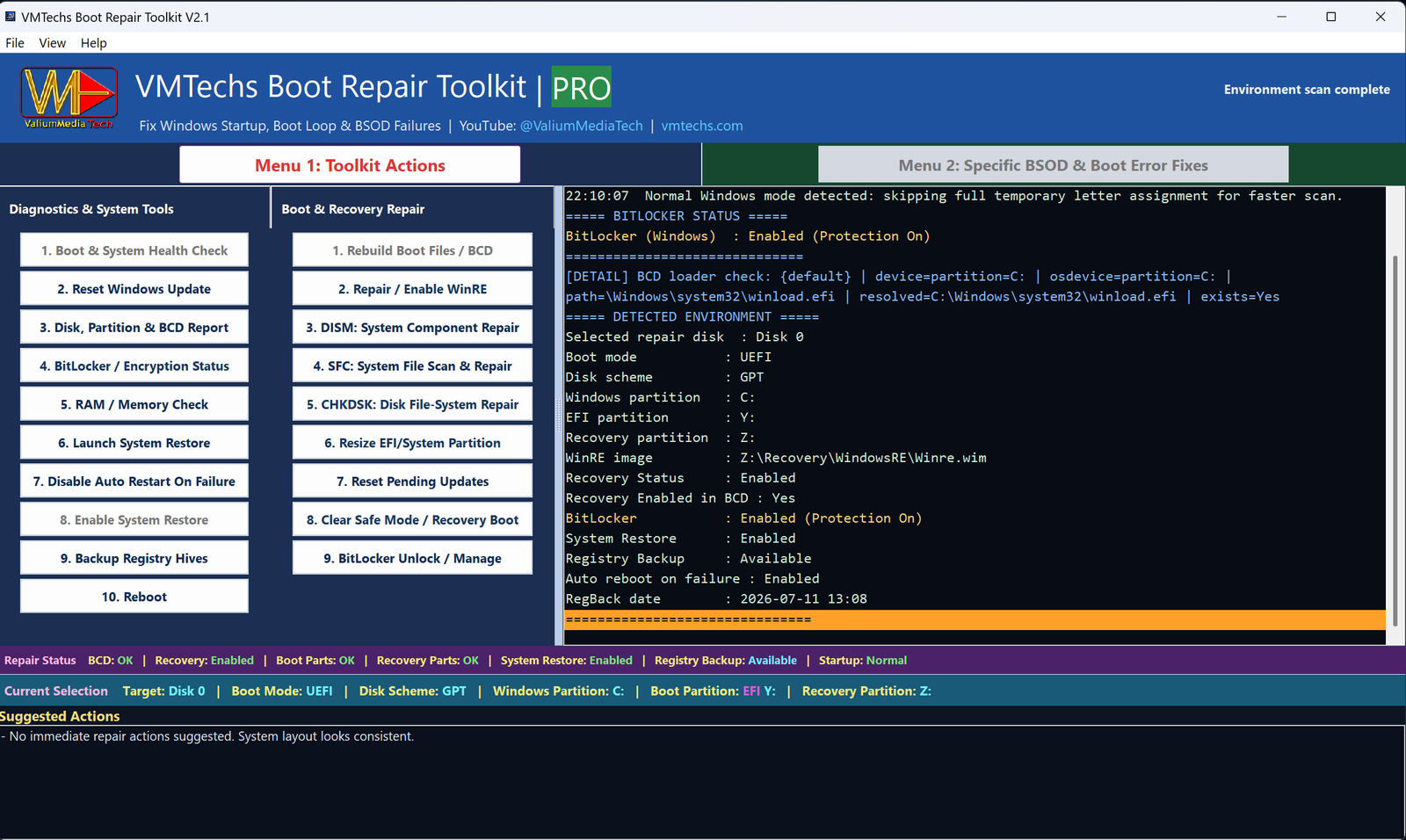
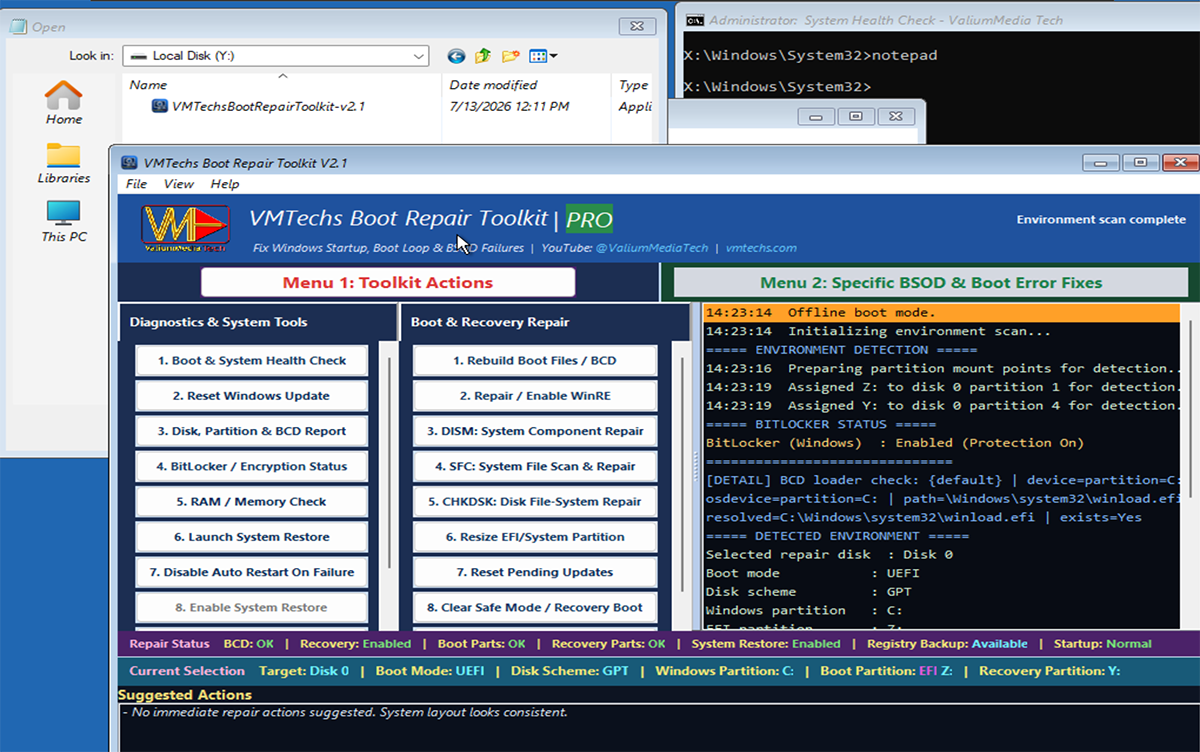
The toolkit automatically finds your Windows installation, boot partitions, disk layout and encryption status — then tells you what's wrong in plain language.
Choose your error or accept the suggested action. Watch the live log as the repair completes — then restart into your own desktop, files intact.
The toolkit is more than a boot repair. It includes a complete suite of Windows troubleshooting tools that professionals reach for every day — all in one portable file.
The moment the scan finishes, the whole machine is on one screen: 33 checks in six sections — disk details, boot configuration, recovery, protection & registry, system files and diagnostics. Every value refreshes after a repair, any row can be re-checked on its own with its ⟳ icon, and hovering explains what the value means. Click a value and the toolkit runs the matching fix — so you always see what changed, instead of guessing. This is the fastest way to answer two questions: what is wrong with this machine, and did my repair actually work.
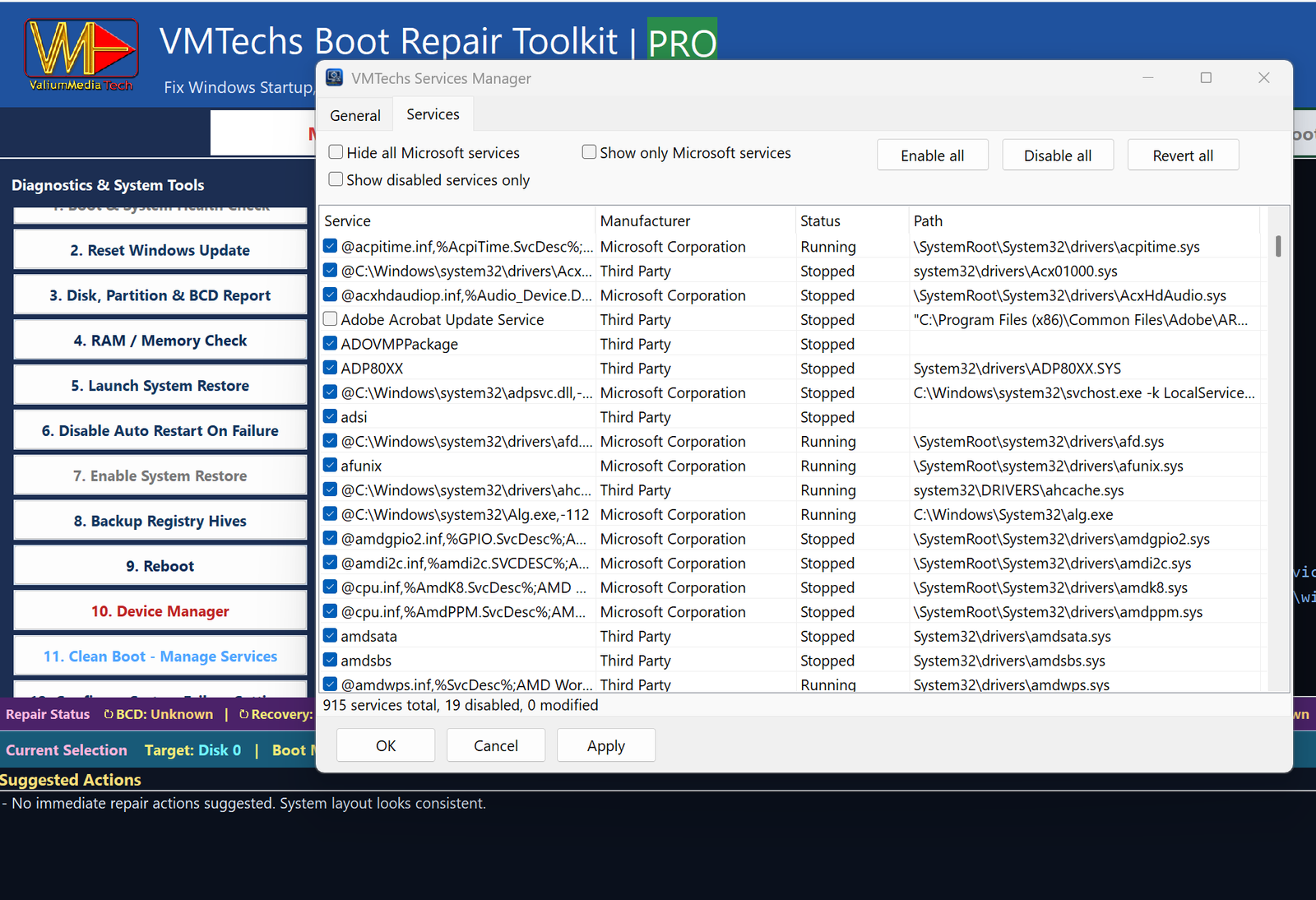
FREEIf a third-party service is crashing Windows at startup, this tool lets you disable it without needing to boot normally. From WinRE or WinPE, it reads the registry of your offline Windows installation directly — you can see every service, its manufacturer and current status, hide all Microsoft services to spot the culprit fast, and disable it with one click. Changes are fully reversible: enable the service again at any time, and no personal files are ever touched.
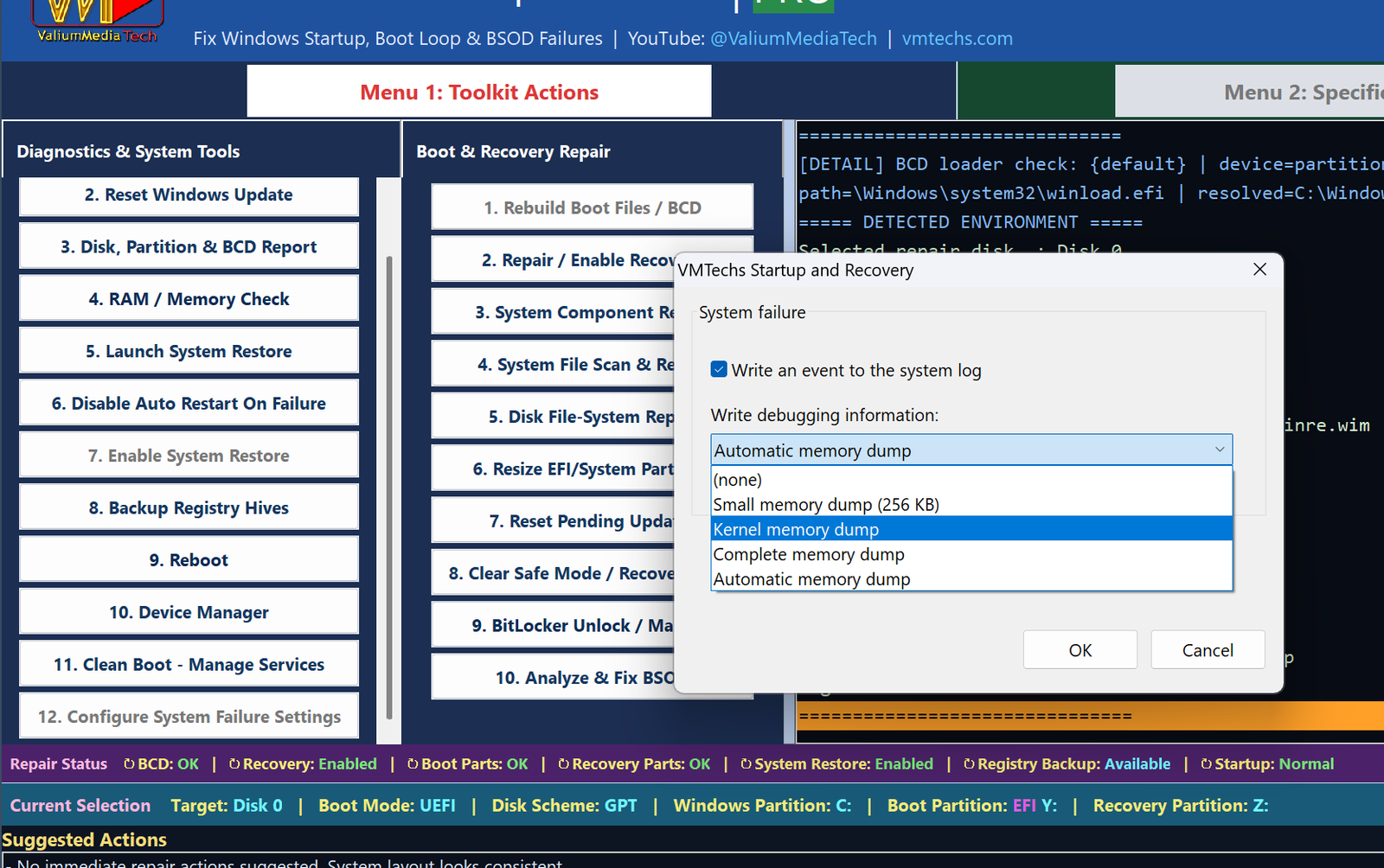
PROWhen Windows crashes, the dump file it leaves behind is the key to understanding why — but only if dump settings are configured correctly. From WinRE or WinPE, this tool reads and writes the crash-control registry of your offline Windows installation, so you can enable event-log writing, choose the right dump type (Small, Kernel, Complete, Automatic, or None), and make sure the next crash is captured for analysis. No data is ever deleted or modified — settings are stored safely in the registry and can be changed back at any time.
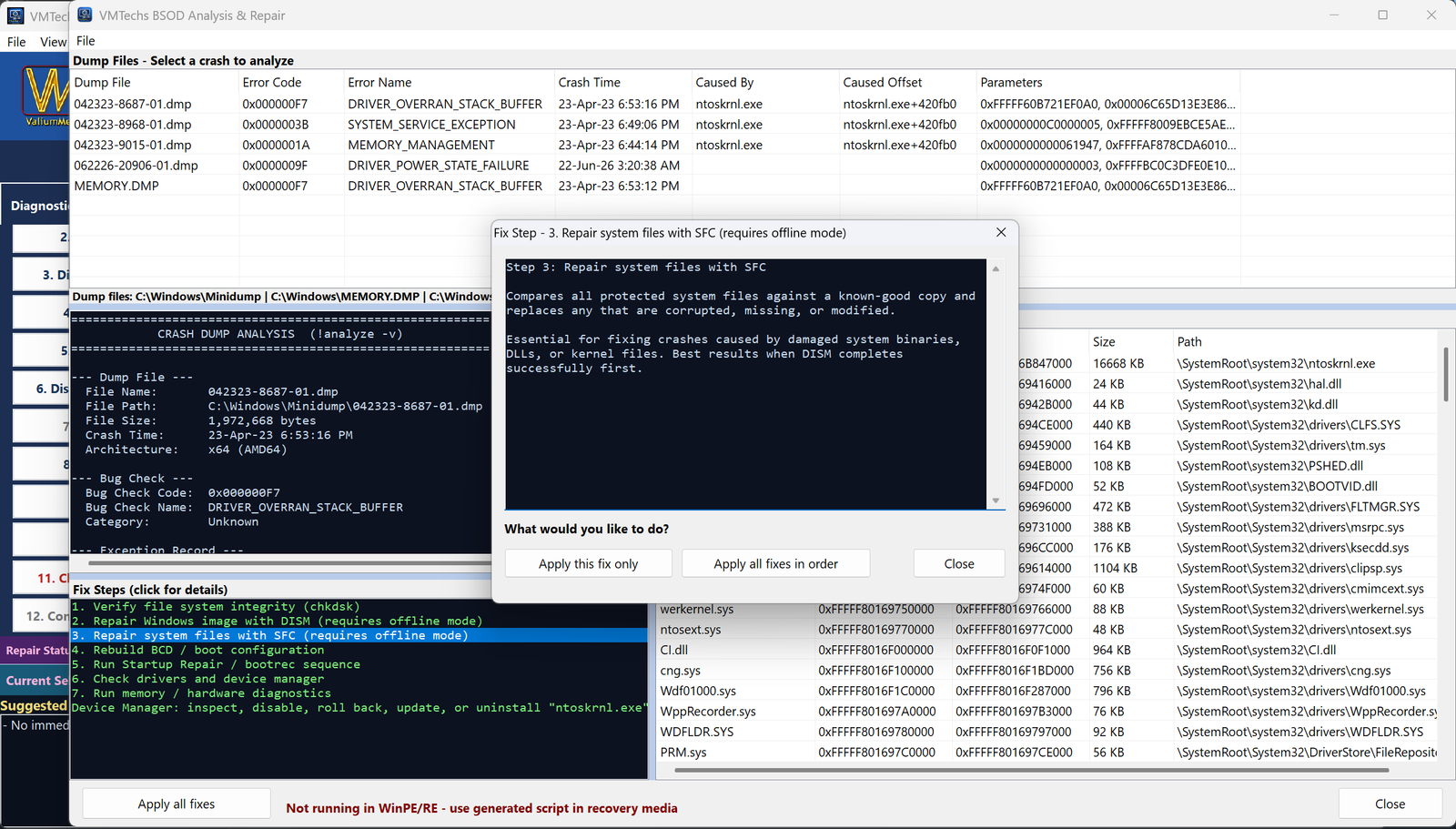
PROWhen Windows blue-screens, a dump file is often saved to the drive — but you cannot read it without a working Windows installation. From WinRE or WinPE, this tool opens the dump file offline, extracts the bug check code and parameters, and cross-references its built-in error database to tell you exactly which driver or component caused the crash. Based on the detected root cause, it suggests and can run the specific repair needed — whether that is rebuilding boot files, repairing system components, or something else. No data is ever deleted, every repair is reversible, and your personal files stay completely untouched.
PROIf a faulty driver is preventing Windows from starting, the normal Device Manager is inaccessible — you cannot fix what you cannot see. From WinRE or WinPE, this tool reads the hardware registry of your offline Windows installation and lists every device with its status, driver details and hardware IDs. You can spot problem devices (shown with clear status indicators), disable a misbehaving driver, or enable one that was turned off — all without booting Windows. Every change is safe: disable a driver today, re-enable it tomorrow, and your files are never at risk.
PROWindows cannot start if a handful of its own files are missing — and a file can also be present yet quietly replaced. This check verifies the 24 boot-critical files Windows itself needs to start: the core user-mode processes, the kernel, the base libraries and the boot drivers. Every one is validated against its Microsoft code signature, so a modified or substituted file is reported too, not just a missing one, and a file blamed by an analyzed crash dump is flagged even while it looks perfectly fine. Repair backs up the original, verifies the new copy and reverts if anything fails; when the component store has no copy it offers your other install media instead. Corrupted files open a two-list dialog — fix them on the left, restore any earlier repair on the right with a single click.
PROThe rescue drive you should have made before the crash. On any PC that still starts, this option turns a plain USB stick into a bootable rescue drive that launches the whole toolkit the moment you boot from it — built from that PC's own recovery image or from a Windows 10/11 ISO, with nothing downloaded and no Windows ADK required. It is formatted FAT32 so every machine accepts it, and the stick's internal disks are never a target. Keep it on your keyring and a dead PC becomes a five-minute job.
FREEGo beyond boot repair — manage services, configure crash behavior, analyze dumps, browse devices, verify every boot-critical system file and build your own rescue USB, all from one portable toolkit.
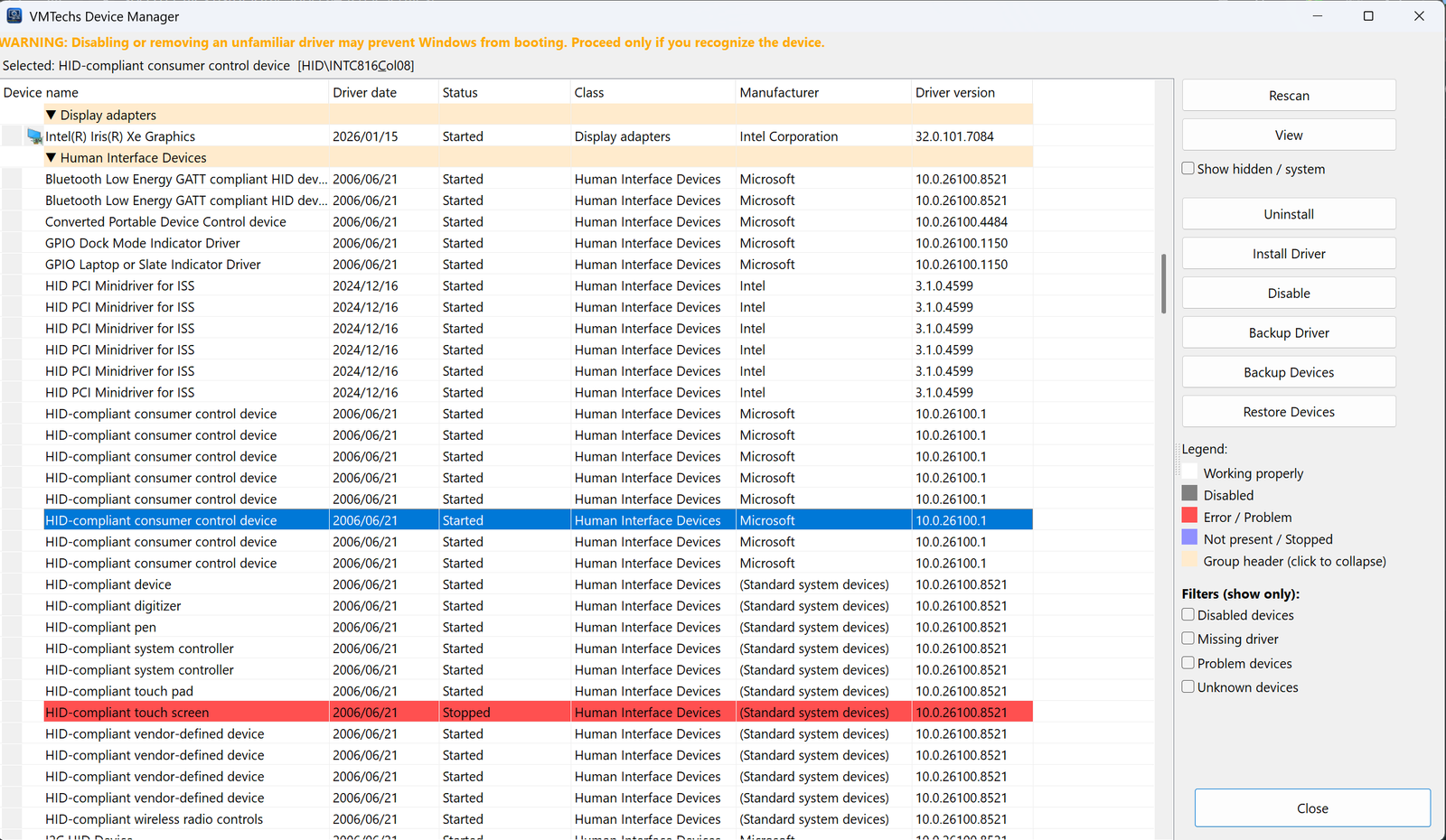
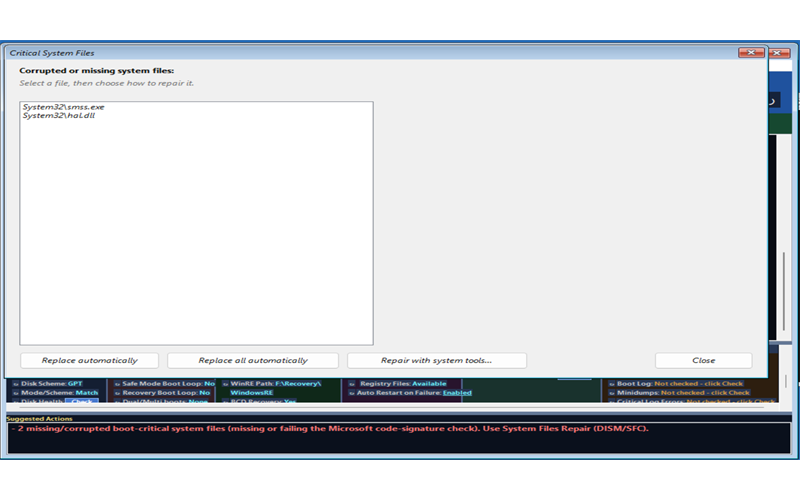
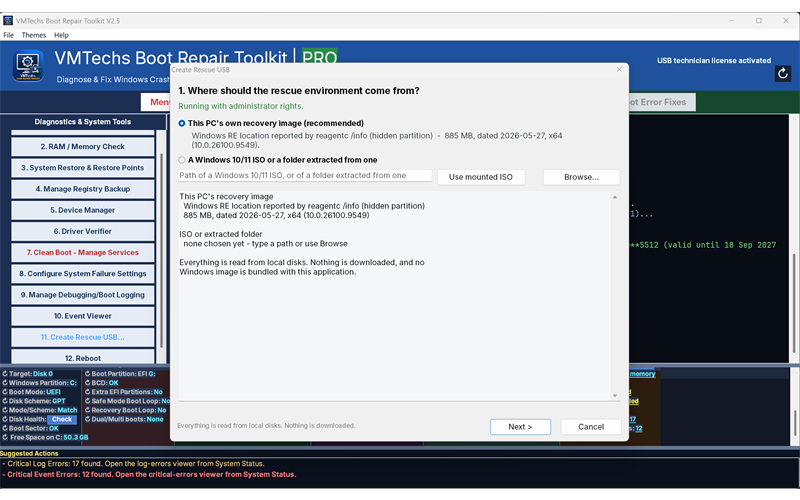
Start free. Upgrade only if you need the heavy repair artillery.
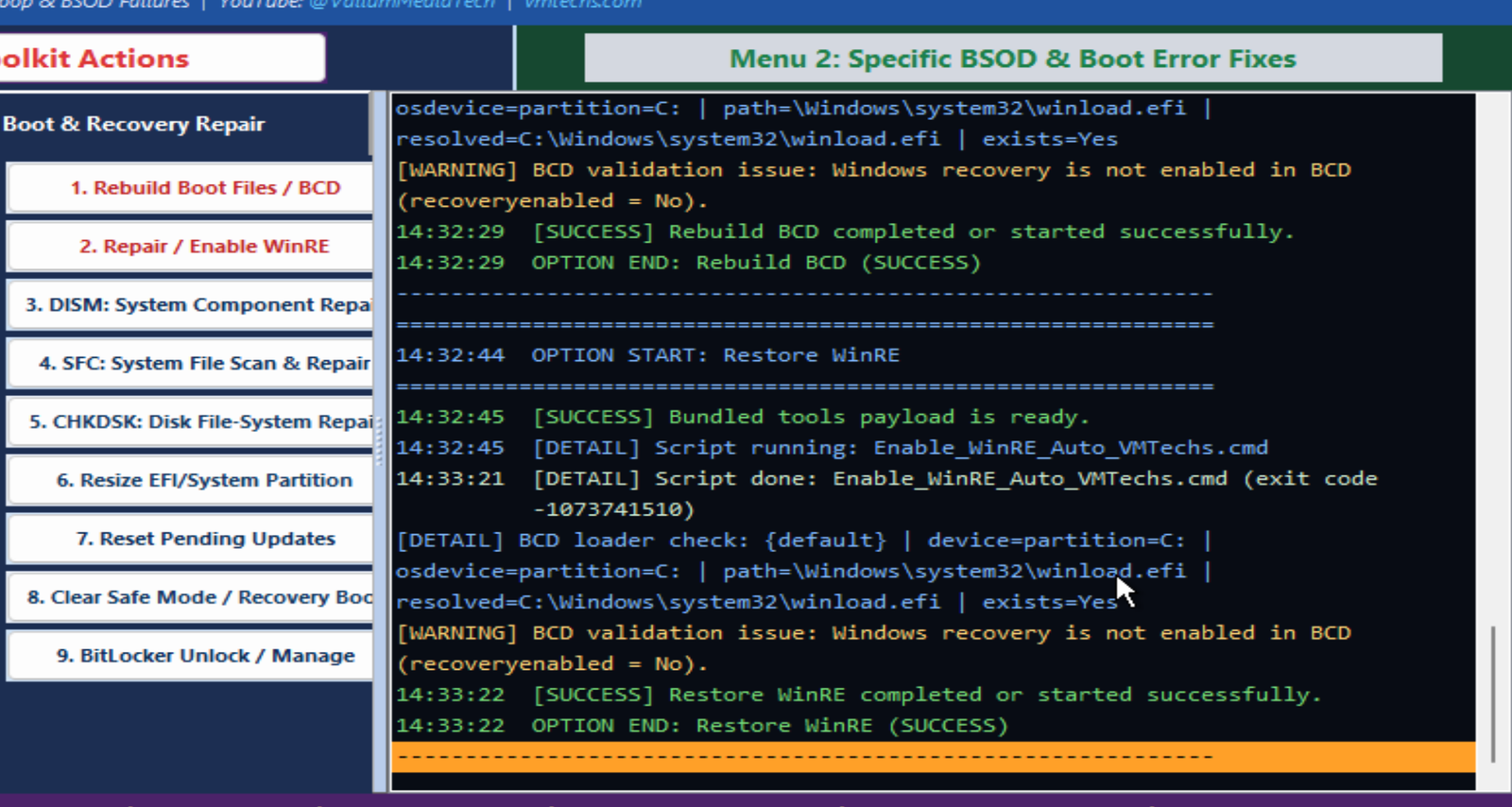
A real tool, doing real repairs — with every step visible in the live log.
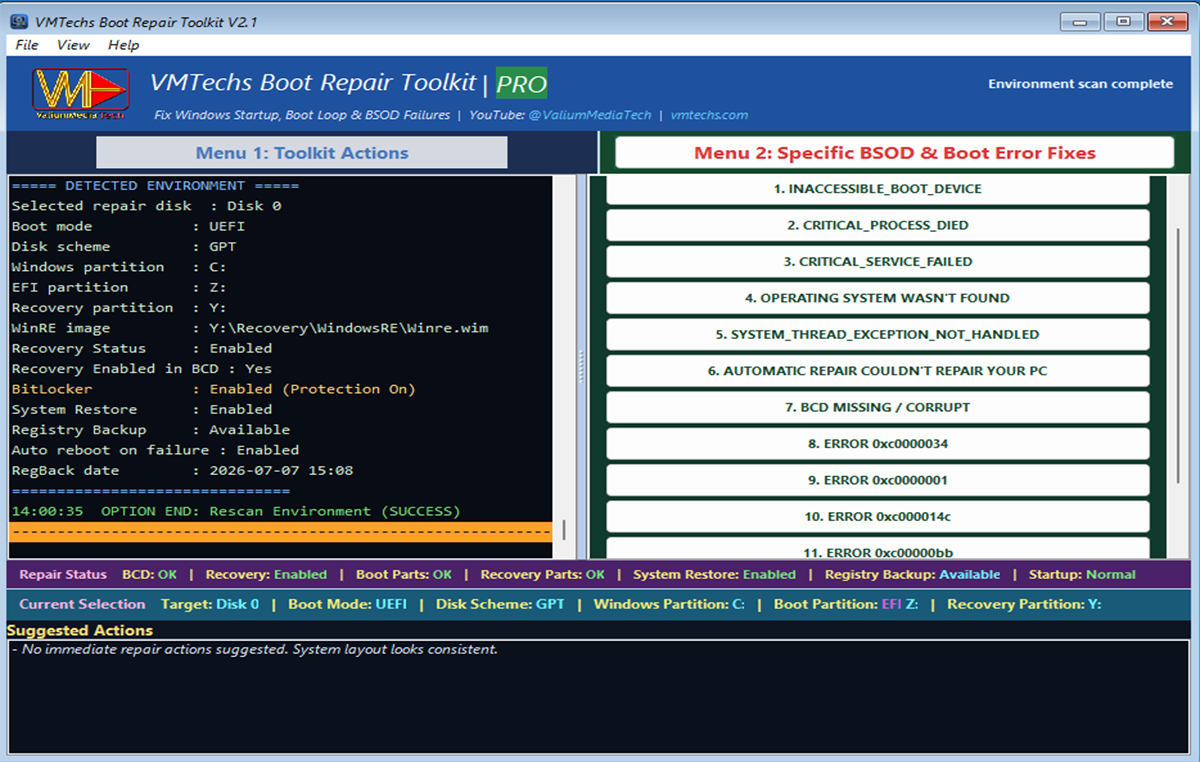
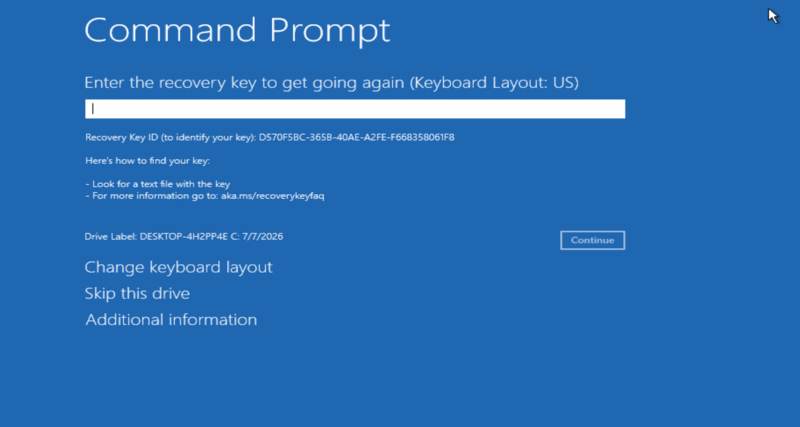
Modern PCs ship with BitLocker encryption on — and after a boot failure, Windows recovery often greets you with a blue screen demanding a recovery key before anything can be repaired. The toolkit takes you from locked to repaired.
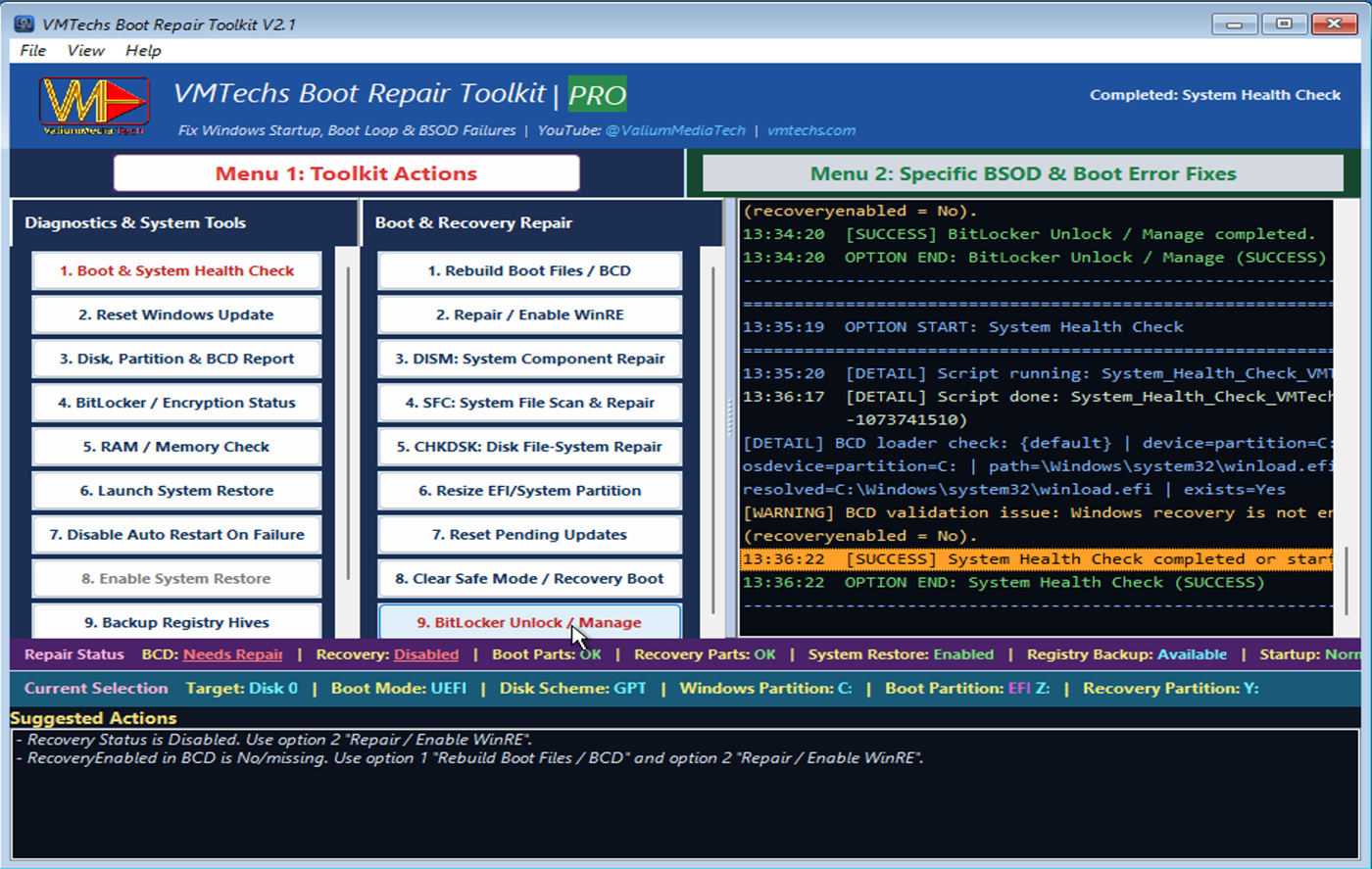
The toolkit detects encryption, searches for the BitLocker key in all partitions automatically, unlocks protected volumes with your recovery key, and refuses to run any risky action until encryption is safely handled — so a repair never turns into a lockout. BitLocker support is owner recovery: it uses the recovery key that belongs to the machine's owner, and it is not a password cracker — without a valid recovery key, an encrypted drive cannot be unlocked.
A repair tool you can trust on your own machine and on your customers' machines.
Nothing runs blindly. The toolkit always analyzes your system first and only offers repairs that make sense for your setup.
High-impact operations require explicit confirmation, and actions that don't match your disk layout are automatically blocked.
Detects encrypted drives and refuses to proceed until encryption is safely handled — no accidental lockouts.
Every action is written to an on-screen log you can save and copy — see exactly what was done, and show your customer.
Built-in registry backup and System Restore tools let you create a safety net before any repair.
No installation, no services, no background processes. One file you keep on your USB stick.
Scanned virus- and malware-free. Every repair runs fully offline — a repair never sends or receives data over the internet. Only the optional online activation connects, and only when you use it; the classic key and USB paths stay offline. Your files, your privacy, your computer stay completely safe.
What each of the 23 Menu 1 options and 61 Menu 2 quick fixes actually does, when to use it, and the exact commands it runs — plus which parts are free to analyse and which need PRO. Includes the full System Status bar reference: all six sections, what each value means, and what clicking it does.
Review the independent security analysis and verify that your download is the exact release we published.
The current download URL has an independent VirusTotal analysis. Verify the SHA-256 checksum below after downloading the file.
View the VirusTotal analysisRelease: — · Release date: — · Build:
SHA-256 checksum
Checksum will be published with the current release.
Scan results can change as security vendors update their signatures. Always download from vmtechs.com and verify that the SHA-256 checksum of your downloaded file matches the value above.
Taken from the release notes of the build itself · released 2026-10-13 · build 132.
No commands to type, no reinstall — see the full repair from dead PC to desktop.
Try everything free. When you need the PRO repairs, pick the plan that fits — activate online in the app when the PC can connect (even from WinRE), or completely offline via QR code when it can't.
Perfect for fixing one stubborn PC right now.
Get 1-Month KeyA year of insurance against boot disasters.
Get 1-Year KeyPay once. Free updates. Three full years of cover — the best value.
Get 3-Year KeyIf a PRO activation doesn't fix your PC, contact us within 30 days for a full refund — see our refund policy.
💳 Pay by PayPal or any debit/credit card · Key delivered instantly on-screen · Lost keys re-issued free at any time · App updates free forever · Same PC reinstalled? Your key still works
🏪 A repair shop charges $80–150 for a single boot fix — PRO starts at $9.99.
Purchased a code from a reseller? Redeem it here.
📧 Email purchase? Your activation code is emailed at payment and re-sent once a day from the retrieve page.
Fixing PCs for a living? Stop paying retail per machine. Grab code packs for flexibility — or go full zero-friction with the USB license.
| Pack | PCs | Price | Per PC |
| Trial | 5 | $19 | $3.80 |
| Starter | 20 | $49 | $2.45 |
| Pro ★ | 60 | $99 | $1.65 |
| Shop | 200 | $249 | $1.25 |
Works with today's app version · vs $9.99 retail per 1-month key
How it works:
Get-Disk | Where-Object BusType -eq 'USB' | Format-Table FriendlyName, SerialNumber✅ Works with the latest toolkit version (free update). Tip: the app itself shows the serial (Activation → “Show this drive's serial”), so no commands are needed at all
Don't reinstall. Don't pay for hours of shop labor. Download the free toolkit now — and if you ever need the heavy repairs, PRO is a $9.99 QR-scan away.
Portable · Offline · Windows 10/11 (64-bit) · Free edition never expires
✅ Thanks — check your inbox for the repair guide.
That address could not be saved right now — your download is unaffected. Please try again in a moment.
